Widgets
- Go To : Appearance > Widgets.
- Select the – Widget Area – where you need to add widget.
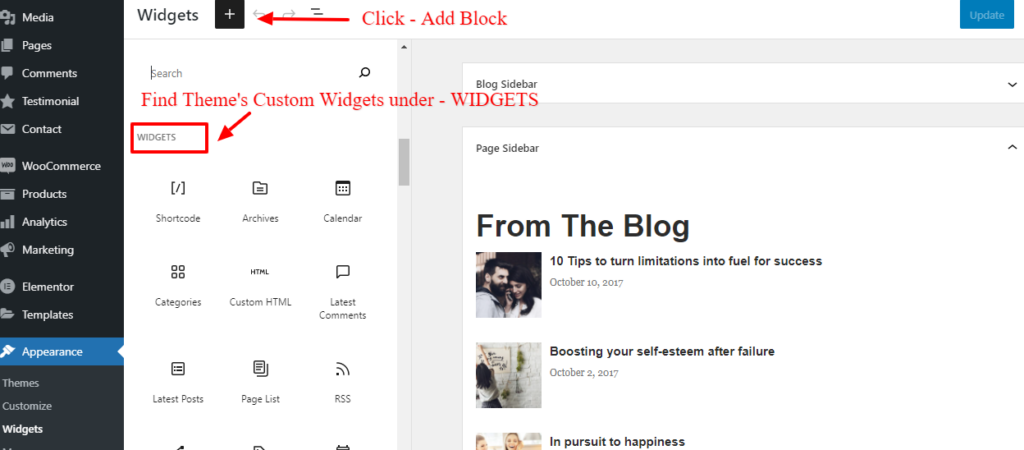
- Click – Add Block
- Find – Custom Widgets and all other widgets under – WIDGETS
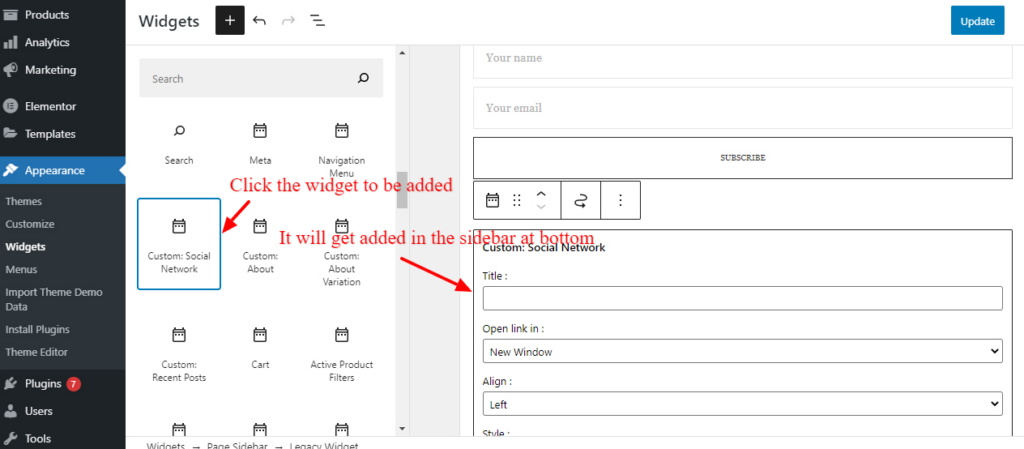
- Click on the widget you need to add to sidebar
- It will get added to that sidebar at the bottom
- You can drag and re-arrange widgets as per requirement just like we do in WP Block Post Editor.