
How to Update Included Plugins?
Update theme to the latest available version.
If included plugin is updated, you can update it as follows.
Choose either of the method.
Method 1:
via TGMPA
- Update theme.
- You will get notification to update plugin on dashboard.
- Go to ‘Install Plugins’ page.
Location: Appearance > Install Plugins
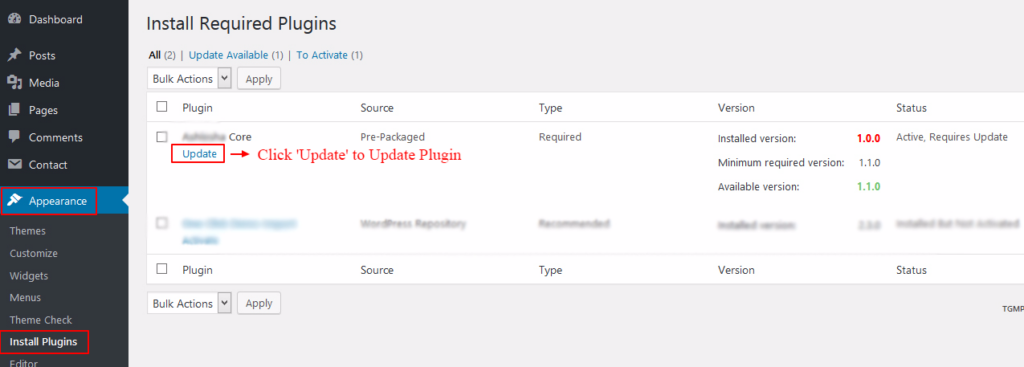
Note: If all recommended / required plugins are upto date as per version provided with theme / repository,
this – Install Plugins – tab will not appear under appearance.
Method 2
- Update theme.
- If plugin needs update it will give ‘Update Required’ label on plugins page itself ( WP default page where all plugins are listed ).

- Click – Update required. That will update plugin.